
AI Chatbots vs traditional chatbots: Why GTM teams are making the switch
November 13, 2025 • min to read

Most websites’ chat widgets feel like a dead end. Prospects ask a question, get a scripted and impersonal reply, and wait for a sales rep to follow-up while they lose interest.
AI chatbots change that. Unlike basic chat tools that follow a prewritten path, an AI chatbot understands context, adapts to the conversation, and uses approved data to instantly qualify, route, and schedule prospects.
In this guide, we’ll explain how traditional and AI chatbots work, why the difference matters in how they drive revenue, and how to use an AI chatbot to turn more website visits into qualified meetings.
AI chatbots vs traditional chatbots
While both tools are designed to engage your website visitors, AI chatbots and traditional chatbots employ very different approaches to understanding and responding during a conversation.
How AI chatbots work
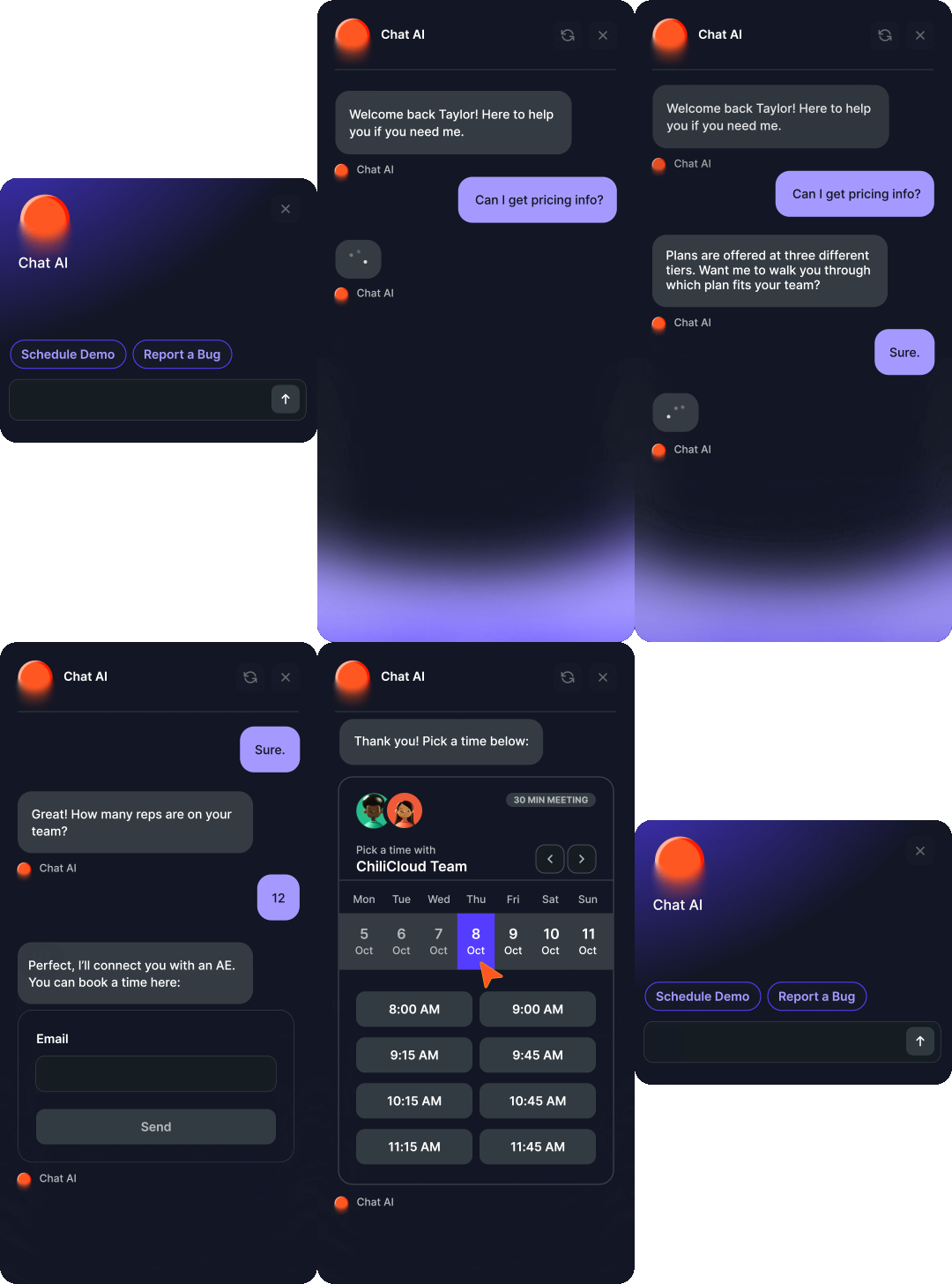
An AI chatbot uses its built-in technology to process, clean, and understand the text it receives. Then, it extracts key details such as names, dates, or products.
After processing the request, the AI chatbot decides the next action, whether it’s asking a clarifying question or performing an action through a connected tool like a calendar or CRM, or handing the chat to a human.
Finally, it generates a clear reply and sends it back.
How traditional chatbots work
Traditional chatbots follow predefined rules. It works with scripted flows, programmed buttons, and simple keyword or pattern matching to decide on its next action.
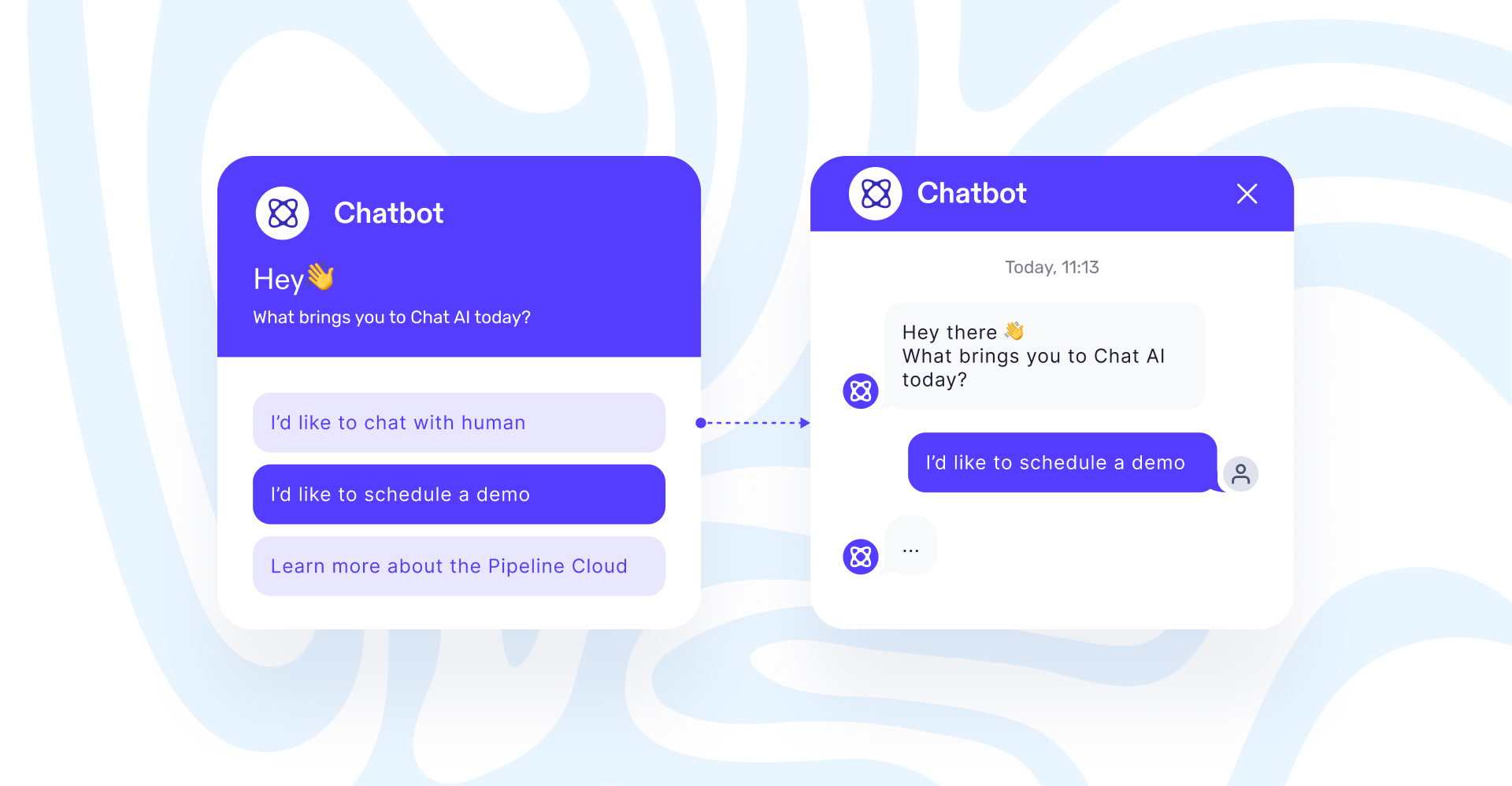
When a visitor types certain keywords or clicks a button, the chatbot looks for a match in its rules and follows that path. Then, it replies with a predefined response, shares an article, or asks for a specific piece of information with short prompts or quick replies.
What makes AI chatbots better
Besides quick answers, here's how AI chatbots help your team:
1. Better sales conversion
An AI chatbot helps you turn more prospects into paying customers. It interacts with them the moment they’re ready, answers product and pricing questions, and determines if they’re ready to buy.
When a sales rep takes over, they get all details captured during the chat, such as company, role, use case, budget, and timeline. Additionally, all information is added to the CRM, so the rep has full context and the prospect doesn’t answer the same question twice.
2. Keeps the chat natural
The AI chatbot handles conversations with your website visitors in a natural way. It recognizes multiple languages, handles both text or speech, and easily handles multi-part questions.
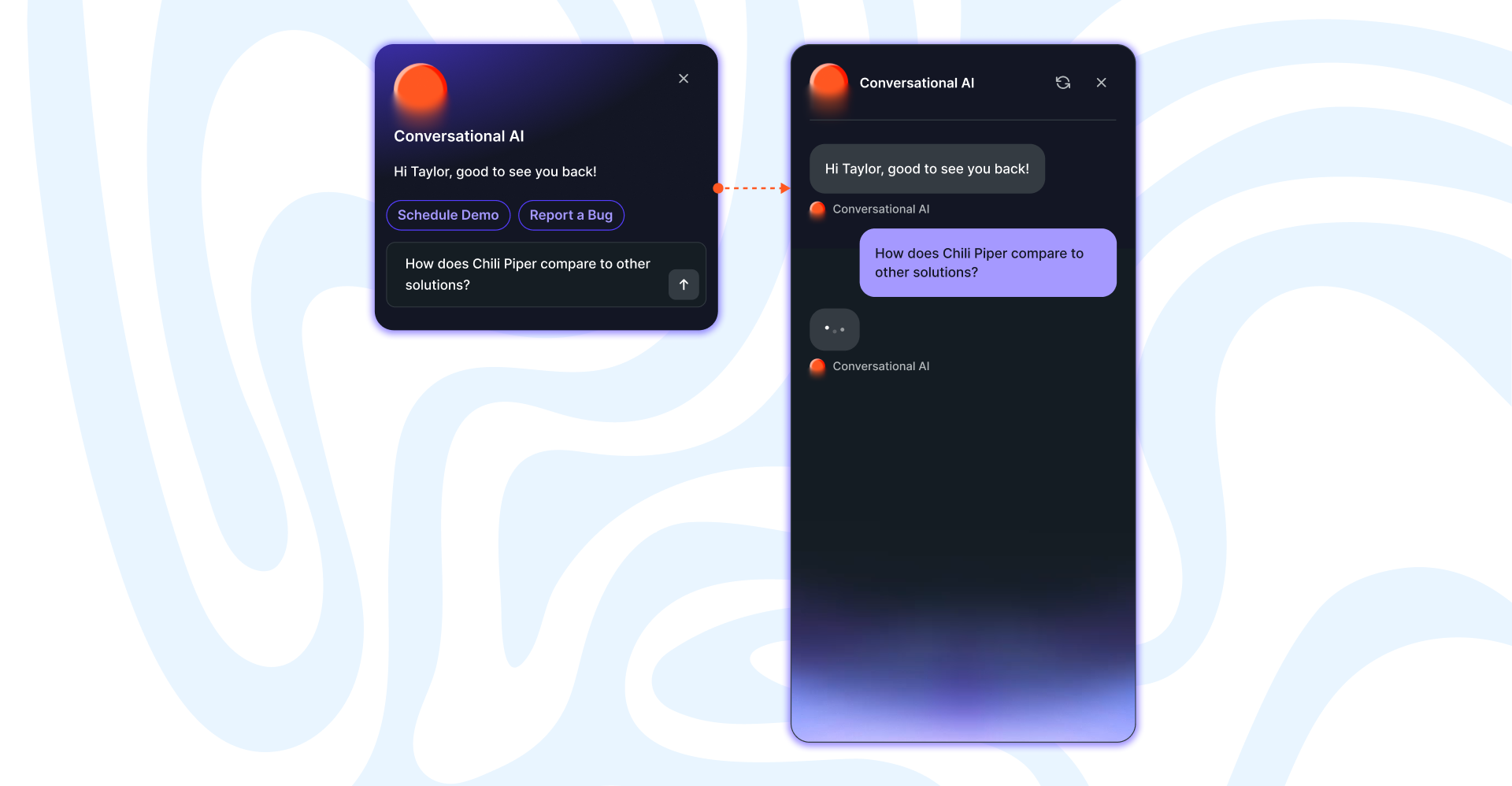
It understands phrasing, intent, and picks out the details that matter. Then, it chooses wording that sounds like everyday speech and fits your brand voice. For voice chats, its speech recognition and synthesis manage accents, pacing, and pauses so the conversation feels natural.
3. Integrates with your systems
Besides answering questions, the AI chatbot can take specific actions through your connected tools. It can search for an order, update account details, schedule a call, or create a support ticket. This way, your prospects move through the sales cycles and clients get their questions answered without having to switch channels or repeat information.
4. Learns and improves
An AI chatbot learns from each interaction and updated sources, so it becomes more accurate without rebuilding flows. When you update help pages, pricing plans, or company policies, the AI chat picks them up automatically.
You can also review unclear questions, see how they were handled, and add more information to reduce confusion.
5. Keeps the data clean
AI chatbots keep your records clean as every conversation syncs with your CRM and routing systems. It logs conversation details, meeting context, and prospects’ status with no manual input from your team.
This keeps your data accurate, and your sales reps have the full story before joining a call, and no qualified lead gets lost during the handoff.
Why traditional chatbots slow down your team
Traditional chatbots work well for routine tasks, but they might reach their limits quickly. Here are the issues that may come up when using chatbots:
1. Limited understanding
To find the right answer, chatbots rely on keywords and static flows, so they struggle with unclear and multi-part questions. Small wording changes or slang can throw them off and lead to repeated prompts or unhelpful replies.
Most of the time, questions that aren’t included in its script lead to confusion or get handed to a human, which increases the wait time.
2. Manual upkeep
Chatbots need constant updating to give relevant answers. Every new change on your FAQ, product, or policy means manually adjusting the rules, flows, and buttons. Then, you have to re-test everything to make sure there are no dead ends.
3. Limited personalization
Traditional chatbots’ replies are generated from predefined snippets, so there’s limited personalization. It can insert simple tokens such as first name, but it can’t adjust tone based on role, region, or account details.
Providing your chatbot with more context usually means building more branches and mapping more rules by hand. As scenarios become more complex, maintenance grows, and personalized replies are often replaced with generic answers.
Why GTM teams are switching to AI chatbots
1. Qualify leads automatically
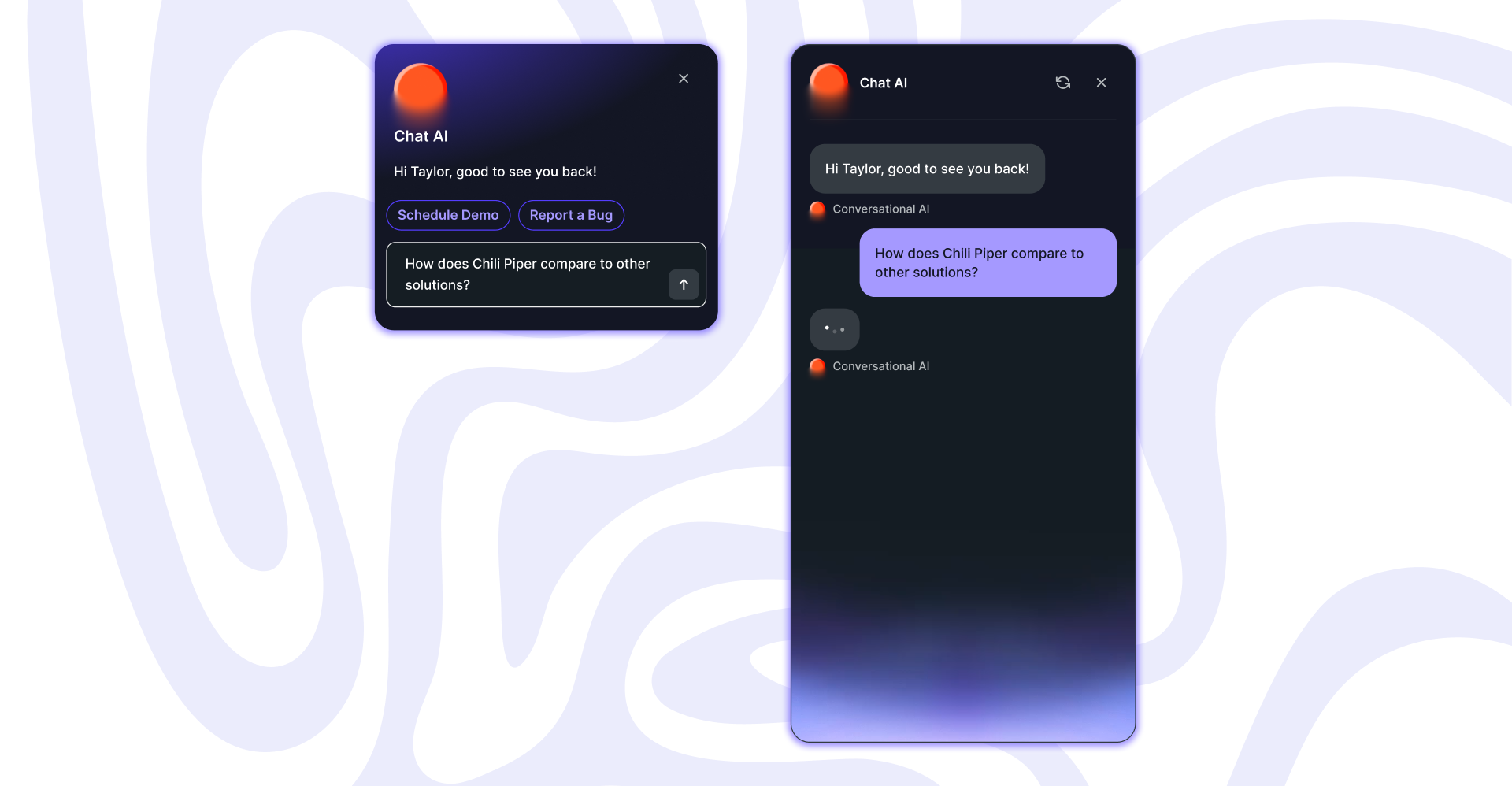
An AI chatbot asks a few questions, checks the info in your CRM, and qualifies your prospects in real time. If they are a fit, it moves them to the next step. If not, it redirects them to one of your pages or adds them to a nurture sequence.
2. Route and book meetings automatically
When someone fits your business ICP, the AI chatbot follows your routing rules and shows your team's availability in the same chat. It checks calendars for everyone involved, time zones, and ownership, so the right people join the meeting.
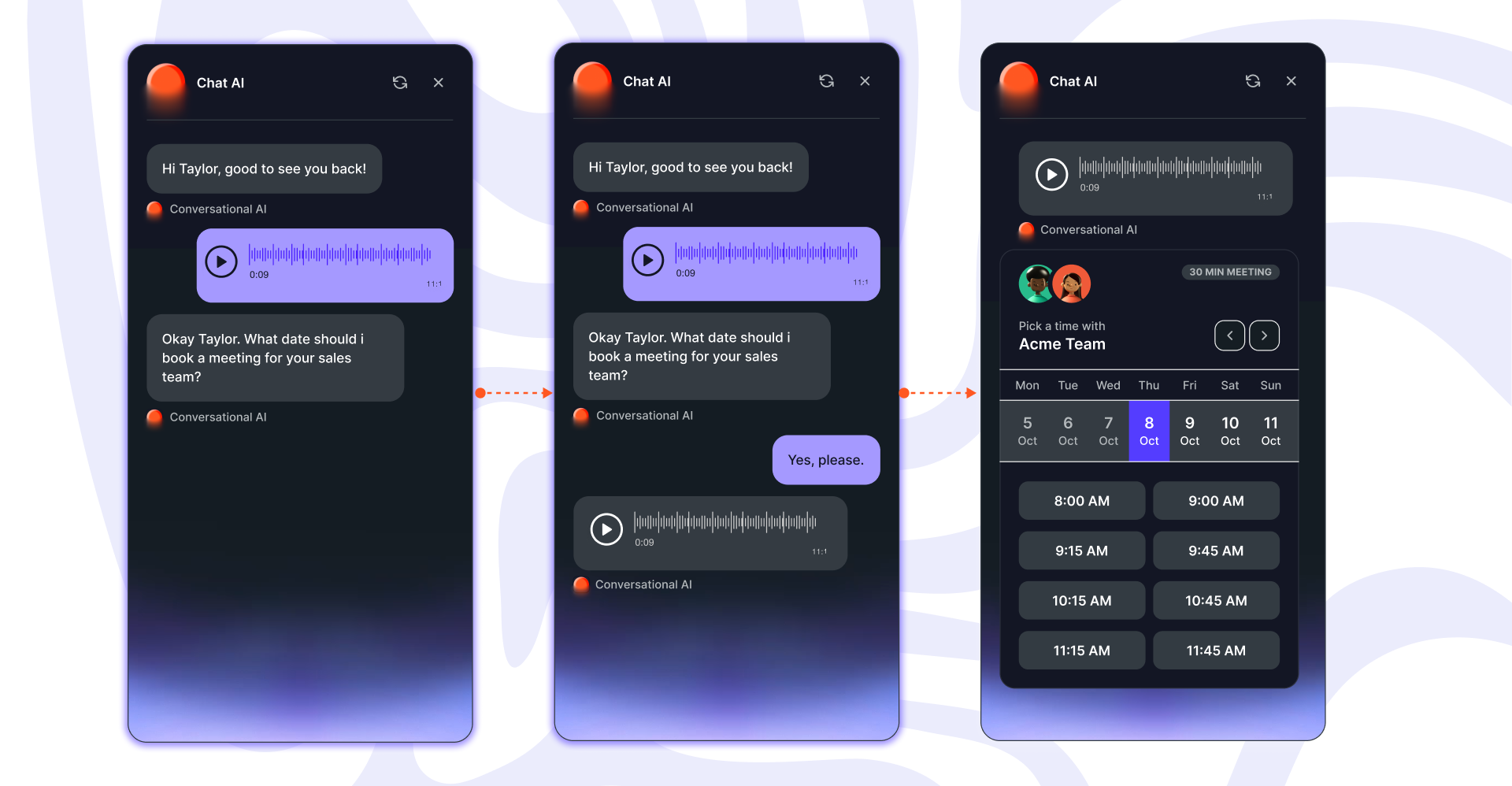
Once the prospect picks a time, the calendar invite is created, and basic information is already added. This way, there is no back-and-forth trying to sync multiple calendars, and no momentum is lost.
3. Smooth and complete handoffs
Your sales team joins the call completely prepared. The chat transcript, key answers, and booking details are logged in the CRM and tied to the meeting. The rep can see what the prospect asked, what they were interested in, and qualifiers such as company, role, industry, and timeline.
All information stays synced across the system, so follow-ups are faster and no one wastes time looking for content. Every scheduled meeting has clear information about who the prospect is and what they need, so it’s easier to build trust and move the deal forward.
Is it time to switch to an AI chatbot?
If your current chatbot feels slow, rigid, or disconnected from the rest of your GTM stack, it may be time for an upgrade. An AI chatbot engages visitors in a natural way, qualifies intent, and connects high-intent buyers to your sales team without delays or missed handoffs.
If you want to see how an AI chatbot designed to help you turn more traffic into customers, book a demo to see Chat AI in action.
Razvan Mihaila is the content writer at Chili Piper. He’s passionate about blending data with storytelling that feels human. When he's not working, you'll find him hiking or cycling up mountain climbs. Follow him on LinkedIn for SEO tips, content strategy insights, and the occasional mountain view.



marketers!
No spam, just spice


